![SWTB_logo_rgb_color_mode-wPadding-2000x961.png]](https://help.softwaretoolbox.com/hs-fs/hubfs/SWTB_General/Images/Press_Kit/SWTB_logo_rgb_color_mode-wPadding-2000x961.png?height=50&name=SWTB_logo_rgb_color_mode-wPadding-2000x961.png)
*or*
I am getting the error message "NDISLIKDA5.DLL must be registered" error when I deploy my OPC Server developed with the SLIK-DA OPC Server Development Toolkit.
The easiest way to build a Setup project for deploying a SLIK-DA-created OPC Server is to use the Merge Modules installed with SLIK-DA.
Below are the instructions on how to accomplish this in Visual Studio 2019, but this process has been proven to also work well with other versions of Visual Studio.
- Follow the instructions outlined here if you do not already have a licensed control on your form: How to license a custom OPC Server created with SLIK-DA
- Go to File-> Add -> New Project to add a new project to your solution.
- Choose 'Setup Wizard' and click Next. The wizard useful to ensure a step is not missed in this process.
- To have this project available, you have to first add the 'Microsoft Visual Studio Installer Projects' Extension from the Visual Studio Marketplace.

- To have this project available, you have to first add the 'Microsoft Visual Studio Installer Projects' Extension from the Visual Studio Marketplace.
- Give your Setup Project a name and click Create.
- The Setup Wizard will begin. In Step 1 of the Setup Wizard, click Next.
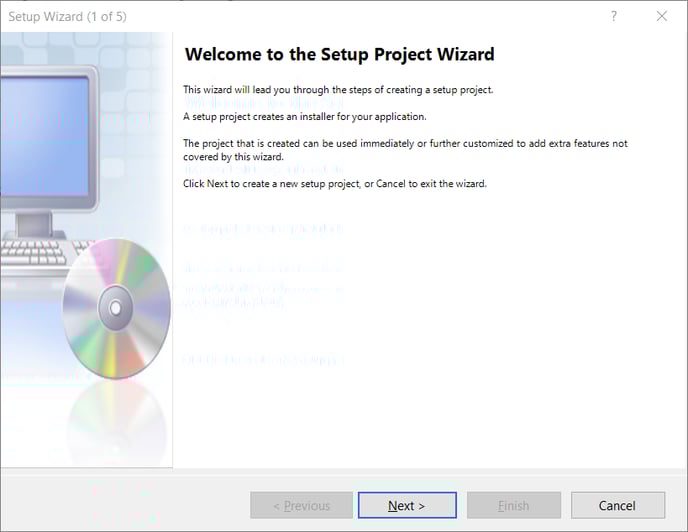
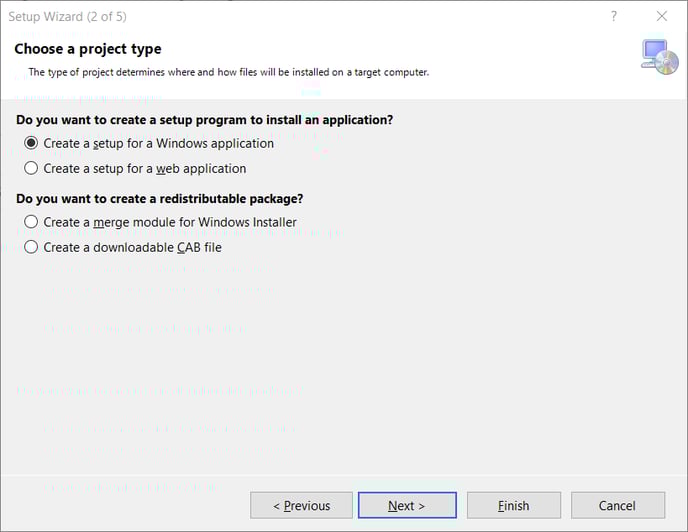
- In Step 2 of the Setup Wizard, choose 'Create a setup for a Windows Application' and click Next.
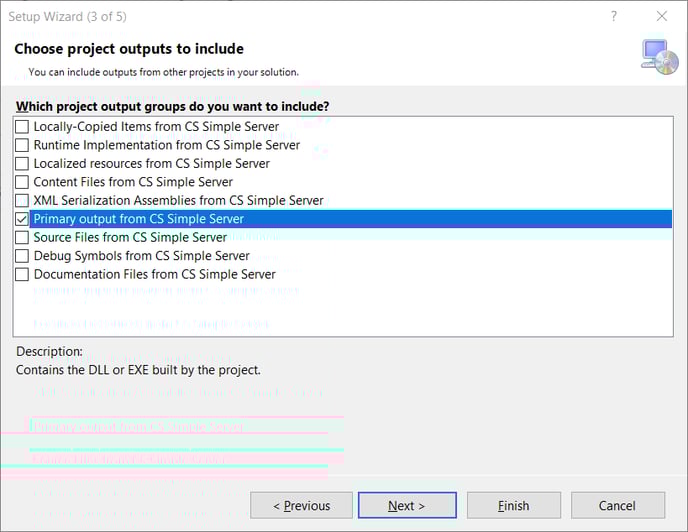
- In Step 3 of the Setup Wizard, select 'Primary output from <Project Name>' and click Next.
- In Step 4 of the Setup Wizard, click Add.
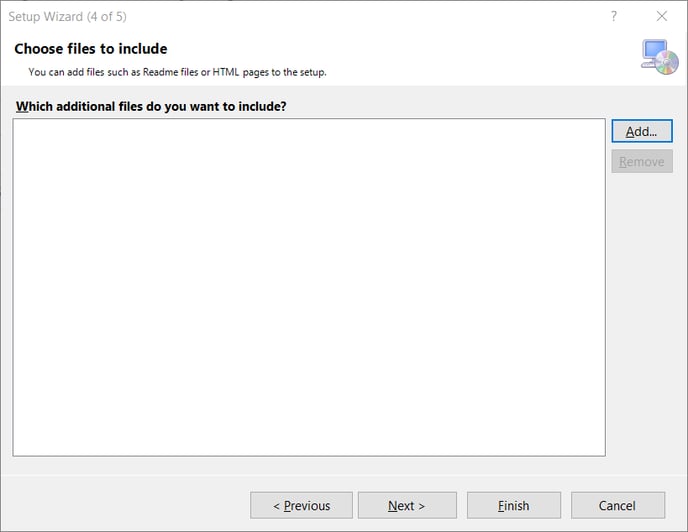
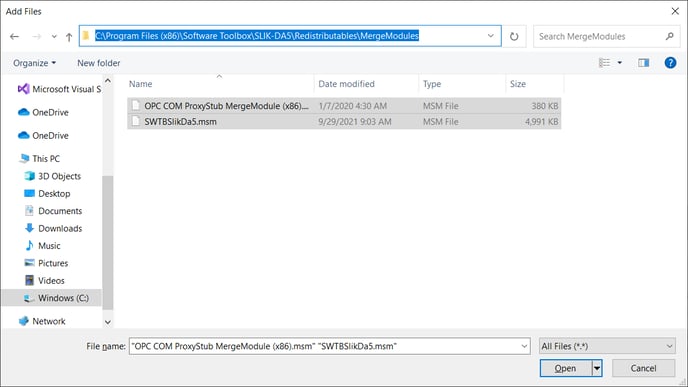
- Browse to the SLIK-DA Installation folder and select the two MSM Merge Modules.
- For x86 machines: C:\Program Files\Software Toolbox\SLIK-DA5\Redistributables\MergeModules
- For x64 machines: C:\Program Files (x86)\Software Toolbox\SLIK-DA5\Redistributables\MergeModules
- If deploying SLIK-DA as an OPC UA Server, please also add SLIKDAUAConfig.xml & Add_PKI_dir_stucture.bat as files to include with the installer.
- For x86 machines: C:\Program Files\Software Toolbox\SLIK-DA5\Redistributables
- For x64 machines: C:\Program Files (x86)\Software Toolbox\SLIK-DA5\Redistributables
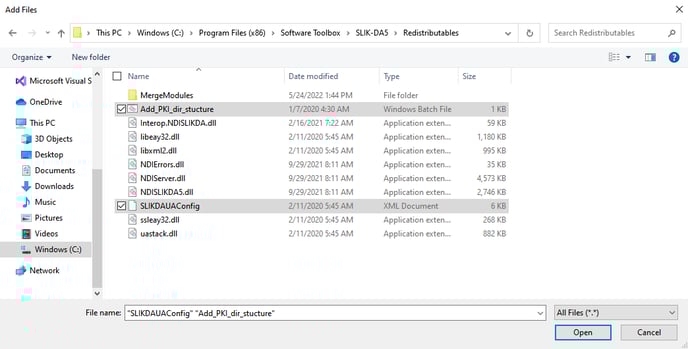
- Once the Merge Modules and any additional files are added, click Next.
- In Step 5 of the Setup Wizard, confirm the summary and click Finish.
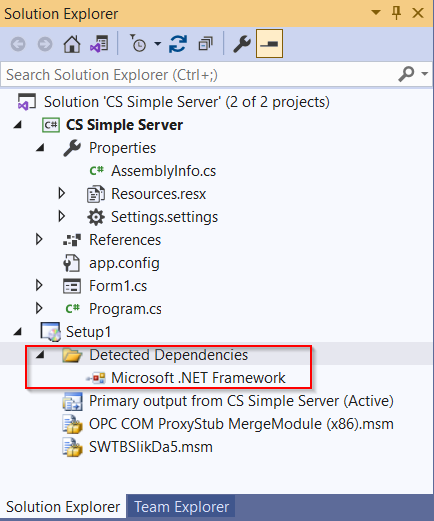
- Go to the Solutions Explorer, and if it is there, right-click on the "NDISLIKDA5.DLL" entry under "Detected Dependencies", and mark it as "Exclude". This file doesn't need to be included because it is taken care of by the Merge Modules. Doing this will also eliminate the registration error upon deployment.
- Build your Server project, then build your Setup project.
- Copy the resulting files (.EXE and .MSI) over to your deployment machine.
- Install the Visual C++ Redistributables Pack (x86) from Microsoft on the deployment machine. See here: Visual C++ Redistributable for Visual Studio 2015
- Run your install program.