![SWTB_logo_rgb_color_mode-wPadding-2000x961.png]](https://help.softwaretoolbox.com/hs-fs/hubfs/SWTB_General/Images/Press_Kit/SWTB_logo_rgb_color_mode-wPadding-2000x961.png?height=50&name=SWTB_logo_rgb_color_mode-wPadding-2000x961.png)
When connecting the a Siemens PLC and uploading (from PLC to PC) for the first time, you need to have already created a new project for the configuration to "land" in.
- Create your project (File ⇒ New from the file menu) so it shows up in your Offline tree view.
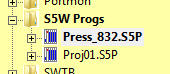
- Connect to the PLC and upload the program from the PLC to the PC.
- Ensure that the proper project file is highlighted.
- From the file menu, select File ⇒ Save As...
- Select the appropriate format and save.