![SWTB_logo_rgb_color_mode-wPadding-2000x961.png]](https://help.softwaretoolbox.com/hs-fs/hubfs/SWTB_General/Images/Press_Kit/SWTB_logo_rgb_color_mode-wPadding-2000x961.png?height=50&name=SWTB_logo_rgb_color_mode-wPadding-2000x961.png)
While connected to the PLC, select the PLC menu, then select "Save online blocks..."

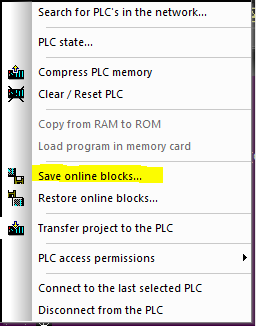
This will save the blocks to an archive file with a .ARV extension. You can then restore those blocks by selecting "Restore online blocks".
More information about S5/S7 for Windows and other IBH software can be found here.