![SWTB_logo_rgb_color_mode-wPadding-2000x961.png]](https://help.softwaretoolbox.com/hs-fs/hubfs/SWTB_General/Images/Press_Kit/SWTB_logo_rgb_color_mode-wPadding-2000x961.png?height=50&name=SWTB_logo_rgb_color_mode-wPadding-2000x961.png)
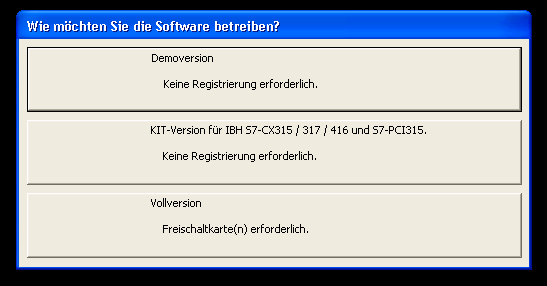
By default the S5/S7 installer includes access to both S5 and S7 portions of the demo. Upon starting the demo you will be prompted to either run as a Demo, S7 KIT, or as a fully licensed product.
If S7 KIT is selected, the software will continue to start as S7 KIT until factory settings are restored.
Factory defaults can be restored through the View menu
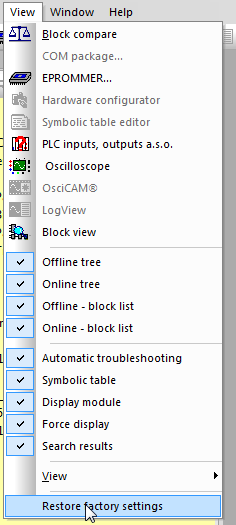
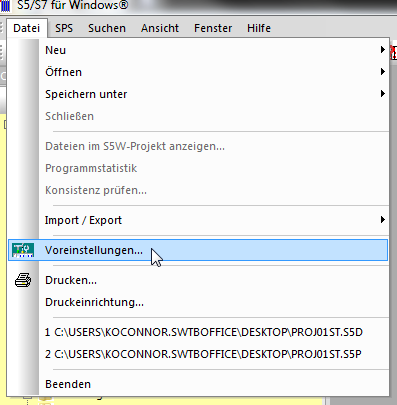
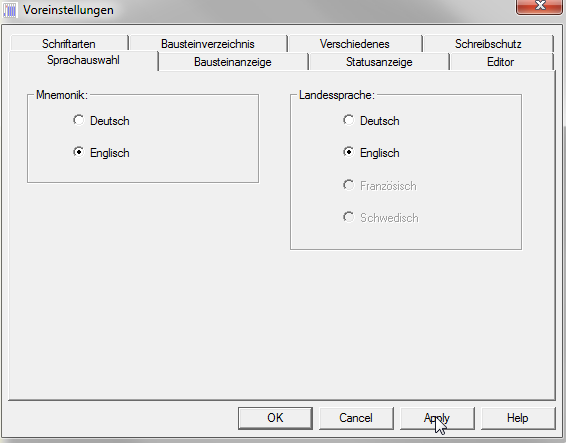
Restoring factory Defaults will cause the S7 KIT to close. You will need to restart S5/S7 for Windows. Once the application is restarted, you can return the language to English using the steps shown in the following Images.
Click "Demoversion"