![SWTB_logo_rgb_color_mode-wPadding-2000x961.png]](https://help.softwaretoolbox.com/hs-fs/hubfs/SWTB_General/Images/Press_Kit/SWTB_logo_rgb_color_mode-wPadding-2000x961.png?height=50&name=SWTB_logo_rgb_color_mode-wPadding-2000x961.png)
How do I dynamically address my tags?
I am seeing Access denied to user 'Data Client' requesting 'Dynamic Addressing' on 'Channel.Device'
Right click on the administration console and click settings.
If your administration icon is not running in the system tray, you can launch it by going to Start | All Programs | Software Toolbox | TOP Server 6 | TOP Server 6 Administration.
Click the User Manager tab.
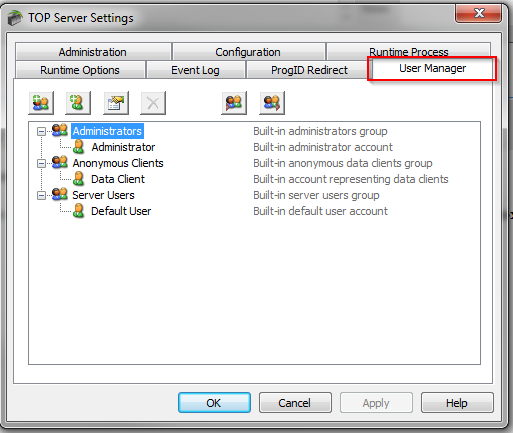
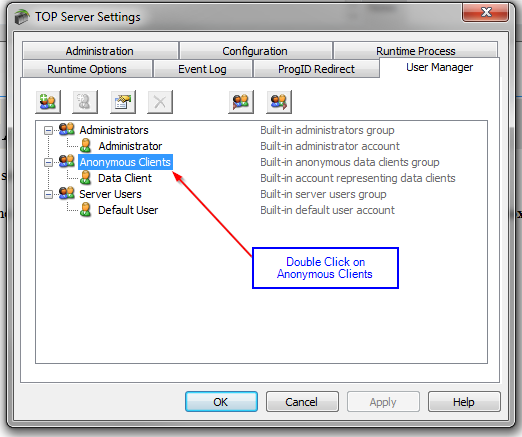
Select Anonymous Clients and double click or right click and choose properties.
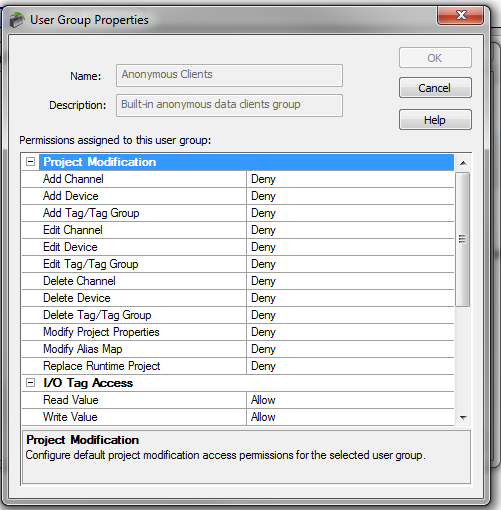
The User Group Properties setting will now open
Set Dynamic Addressing to Allow
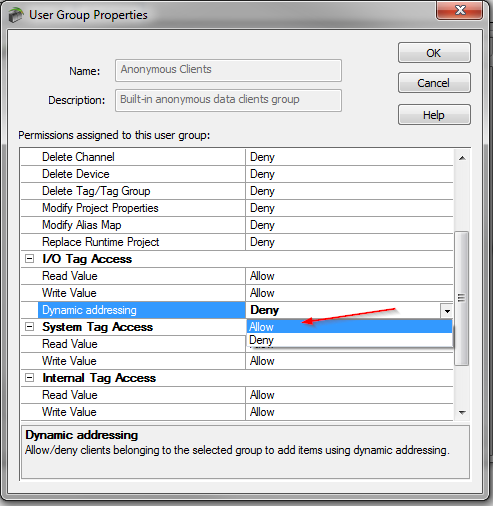
Click OK.