![SWTB_logo_rgb_color_mode-wPadding-2000x961.png]](https://help.softwaretoolbox.com/hs-fs/hubfs/SWTB_General/Images/Press_Kit/SWTB_logo_rgb_color_mode-wPadding-2000x961.png?height=50&name=SWTB_logo_rgb_color_mode-wPadding-2000x961.png)
In TOP Server v5.15, several changes have been made to the OPC DA Client driver.
The most significant change is where the OPC Quick Client distributed with the TOP Server is able to connect and read/write data from a remote OPC Server, however the TOP Server OPC DA Client Driver is unable to make a remote connection to another OPC server.
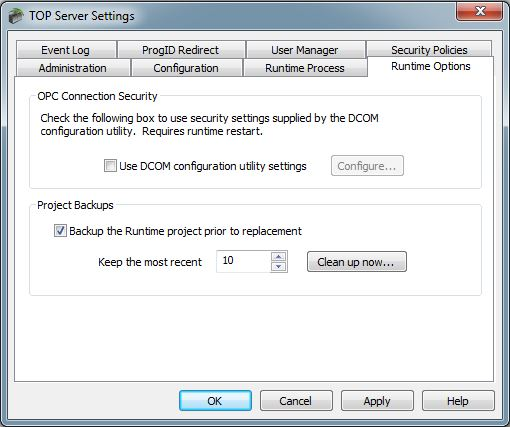
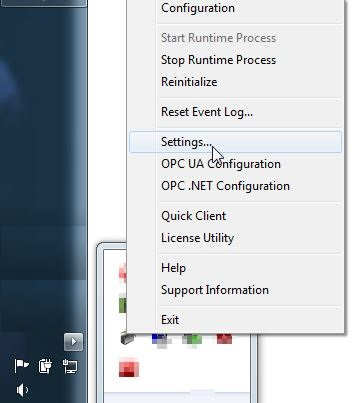
If after upgrading to version 5.15 you find that you are still unable to establish a connection to the remote server using the OPC DA Client Driver, you will need to ensure that you have opted to not 'Use DCOM configuration utility settings' from the TOP Server administrative settings. This can be disabled by selecting 'Settings' from the TOP Server Administration utility in the system tray.
Open the 'Runtime Options' and uncheck the box beside 'Use DCOM configuration utility settings' and click apply.