![SWTB_logo_rgb_color_mode-wPadding-2000x961.png]](https://help.softwaretoolbox.com/hs-fs/hubfs/SWTB_General/Images/Press_Kit/SWTB_logo_rgb_color_mode-wPadding-2000x961.png?height=50&name=SWTB_logo_rgb_color_mode-wPadding-2000x961.png)
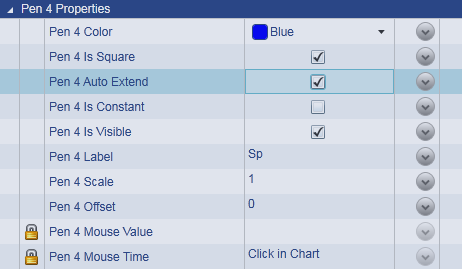
The first step will be to enable the Auto Extend feature for each Pen that you are tracing.
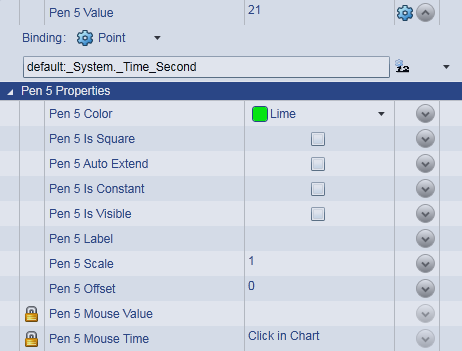
The trend chart will only update if there is a change in one of the Pen values. If you would like the trend chart to be updated over a regular interval regardless of a point change, you will need to assign a point to a Pen that will update regularly. A local system time tag is recommended to maintain a regular update interval. Disabling the visibility of the Pen will prevent this trend value from appearing within the trend view.