![SWTB_logo_rgb_color_mode-wPadding-2000x961.png]](https://help.softwaretoolbox.com/hs-fs/hubfs/SWTB_General/Images/Press_Kit/SWTB_logo_rgb_color_mode-wPadding-2000x961.png?height=50&name=SWTB_logo_rgb_color_mode-wPadding-2000x961.png)
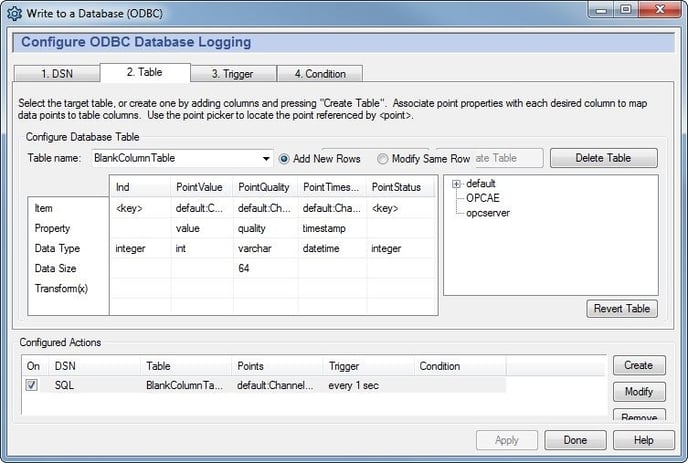
A column can be left blank by configuring the column as a key in a table that already has a primary key column. When creating a new table in the DataHub logging configuration:
- Add all columns - giving them names as they are added
- Configure a column as the primary key
- Create the Table
- Finish configuring the Item, Property, Data Type, Data Size, and Transform(x) for all fields - the column that should be left blank should be set as a <key>