![SWTB_logo_rgb_color_mode-wPadding-2000x961.png]](https://help.softwaretoolbox.com/hs-fs/hubfs/SWTB_General/Images/Press_Kit/SWTB_logo_rgb_color_mode-wPadding-2000x961.png?height=50&name=SWTB_logo_rgb_color_mode-wPadding-2000x961.png)
Introduction
The TOP Server makes available a number of auto-generated tags that give insight into the status of communications, and track diagnostics information to help show the current and past state of the server. This document is intended to give an overview of the System and Statistic Tags that are available in TOP Server version 5.19.467, with a special focus on EFM capable drivers and plug-ins. All tags cannot be guaranteed to be present in versions other than 5.19.467.
The rest of the document is structured to show at what level the tags can be found, and give a short description what information the tag exposes. More information on these tags can be found in the TOP Server help file, or by contacting our support team.
Table Key
- RO ⇒ Read Only
- WO ⇒ Write Only
- RW ⇒ Read/Write
Server Level Tags
Server Level System Tags
The server level system tags can be accessed by accessing the _System tag group, browsable when a client connects to the TOP Server:
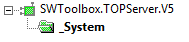
These tags will provide information on the current project, clients that are connected, and overall server information.
Server level system tags include:
| Tag Name | Access | Description |
_ActiveTagCount |
RO | The number of tags that are currently active in the server. |
_ClientCount |
RO | The number of clients that are currently connected to the server. |
_Date |
RO | The current date of the system that the server is running on. |
_DateTime |
RO | The GMT date and time of the system that the server is running on. |
_DateTimeLocal |
RO | The localized date and time of the system that the server is running on. |
_Date_Day |
RO | The current day of the month of the system on which the server is running. |
_Date_Month |
RO | The current numeric month of the system on which the server is running. |
_Date_Year2 |
RO | The last two digits of the current year of the system on which the server is running. |
_Date_Year4 |
RO | The current year of the system on which the server is running. |
_FullProjectName |
RO | The fully qualified path and file name to the currently loaded project. |
_IsDemo |
RO |
The 1 = Currently In Demo Mode |
_OpcClientNames |
RO | The names of all OPC clients that connect to the server and register their name. |
_ProjectName |
RO | The currently loaded project file name and does not include path information. |
_ProjectTitle |
RO | The title of the project that is currently loaded. |
_Time |
RO | The current time of the system that the server is running on. |
_TotalTagCount |
RO | The total number of tags that are currently being accessed. These tags can be active or inactive. |
_Time_Hour |
RO | The current hour of the system on which the server is running. |
_Time_Hour24 |
RO | The current hour of the system on which the server is running in a 24 hour format. |
_Time_Minute |
RO | The current minute of the system on which the server is running. |
_Time_PM |
RO |
The current AM/PM status of the system on which the server is running. 0 = AM |
_Time_Second |
RO | The current second of the system on which the server is running. |
Channel System Tags
Channel level system tags can be accessed via the _System tag group found at the channel level:
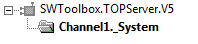
These tags give control over channel and driver level settings from client applications. What tags are available will vary depending if a Serial or Ethernet protocol was chosen.
Changes that are made to these tags will affect channel wide settings, and thereby all devices configured for the Channel.
Serial Channels
TOP Server Channels configured for a Serial protocol will expose the following tags:
| Tag Name | Access | Description |
_AvailableNetworkAdapters |
RO | Lists the available NICs including NICs with multiple IPs assigned to them. |
_BaudRate |
RW |
Changes the baud rate of the driver. Valid baud rates are: 300 |
_ComId |
RW | Changes the COM port selection for the driver. Should be in the format: COM# |
_DataBits |
RW |
Changes the data bits of the driver. Valid values are:
|
_EnableDiagnostics |
RW | Enables (1)/Disables (0) Channel Diagnostics. |
_EthernetEncapsulationPort |
RW | Sets the Ethernet port that has been opened to allow connections. The valid range is 0-65535. |
_EthernetEncapsulationProtocol |
RW |
Sets the Ethernet protocol used to connect to the Unsolicited Encapsulation Port. Options include: TCP/IP |
_FloatHandlingType |
RW |
Sets how the Driver will handle Non-normalized Float values. Valid Strings are: Unmodified |
_FlowControl |
RW |
Changes the flow control setting of the driver. Valid strings are: None Not all drivers support the RTS Manual mode of operation. |
_InterDeviceDelayMS |
RW | Specifies the amount of time that the channel will wait before polling the next device on the channel. The valid range is 0 (default)-60000 milliseconds. This tag is only available on channels that support Inter-Device delay |
_NetworkAdapter |
RW | Changes the current NIC adapter in use by the driver.The name of the newly desired NIC adapter must be written to this tag in string format and must mach the exact description of the new adapter. For a serial driver, this tag will only be used if Ethernet Encapsulation is selected. When changing the NIC selection the driver will be forced to break all current device connections and reconnect. |
_Parity |
RW |
Changes the parity of the driver. Valid string entries are: None |
_ReportComErrors |
RW | Enables (1)/Disables (0) the reporting of low level communications errors such as parity and framing errors. If the environment contains significant interference, this feature can be disabled to prevent the Event Log from filling with error messages. |
_RtsLineDrop |
RW | Lowers the RTS Line for a user-specified period of time after the driver attempts to transmit a message. This tag will only be effective for drivers that support Manual RTS mode. The valid range is 0-9999 milliseconds. The Manual RTS mode has been designed for use with radio modems. |
_RtsLinePollDelay |
RW | Introduces a user specified pause after each message sent from the driver. This tag will only be effective for drivers that support Manual RTS mode. The valid range is 0-9999 milliseconds. The Manual RTS mode has been designed for use with radio modems. |
_RtsLineRaise |
RW | Raises the RTS line for the specified period of time before the driver attempts to transmit a message. This tag will only be effective for drivers that support Manual RTS mode. The valid range is 0-9999 milliseconds. The Manual RTS mode has been designed for use with radio modems. |
_SharedConnection |
RO | Indicates that the port settings are being shared with another channel. |
_StopBits |
RW |
Sets the number of stop bits of the driver. Valid entries are: 1 |
_WriteOptimizationDutyCycle |
RW | Sets the number of writes that will be performed for every one read. Valid range is 1-10 |
Ethernet Channel
TOP Server Channels configured for an Ethernet protocol will expose the following tags:
| Tag Name | Access | Description |
_AvailableNetworkAdapters |
RO | Lists the available NICs including NICs with multiple IPs assigned to them. |
_EnableDiagnostics |
RW | Enables (1)/Disables (0) Channel Diagnostics. |
_FloatHandlingType |
RW |
Sets how the Driver will handle Non-normalized Float values. Valid Strings are: Unmodified |
_InterDeviceDelayMS |
RW | Specifies the amount of time that the channel will wait before polling the next device on the channel. The valid range is 0 (default)-60000 milliseconds. This tag is only available on channels that support Inter-Device delay |
_NetworkAdapter |
RW | Changes the current NIC adapter in use by the driver.The name of the newly desired NIC adapter must be written to this tag in string format and must mach the exact description of the new adapter. For a serial driver, this tag will only be used if Ethernet Encapsulation is selected. When changing the NIC selection the driver will be forced to break all current device connections and reconnect. |
_WriteOptimizationDutyCycle |
RW | Sets the number of writes that will be performed for every one read. Valid range is 1-10 |
Serial and Ethernet Device System Tags
Device level system tags can be accessed via the _System tag group found at the device level:

These tags will give insight into the current state of the device, and give control over device settings – allowing changes to be made from client applications.
Changes that are made to these tags will only change settings for the device they were changed for. The available tags may change slightly depending on the model of device, and the channel level protocol settings:
| Tag Name | Access | Description |
_AutoCreateTagDatabase |
RW | When set to True (1), the driver will attempt to automatically generate an OPC tag database for this device. This tag will not appear for drivers that do not support Automatic OPC Tag Database Generation. |
_AutoDemoted |
RO | False (0) = the device is not demoted and is being scanned by the driver True (1) = the device is demoted and not being scanned by the driver. |
_AutoDemotionDiscardWrites |
RW |
Enables (1)/Disables (0) the discarding of write requests while a device is demoted. False (0) = writes will be performed regardless of the demotion state. |
_AutoDemotionEnabled |
RW |
Determines whether a device should be automatically demoted for a specific time period when the device is unresponsive. 0 = Do not auto-demote |
_AutoDemotedFailureCount |
RW | Specifies how many successive failures it takes to demote a device. The valid range is 1-30 and can only be written to if _AutoDemotionEnabled is set to True. |
_AutoDemotionIntervalMS |
RW | Specifics how long, in milliseconds, a device will be demoted before re-attempting to communicate with the device. The valid range is 100-3600000 milliseconds. This tag can only be written to if _AutoDemotionEnabled is set to True. |
_ConnectTimeout |
RW | Sets how long to wait, when making an IP connection to a device, before timing out. This tag is available when either a native Ethernet driver is in use or a serial driver is in Ethernet Encapsulation mode. The valid range is 1-30 seconds. |
_DemandPoll |
RW | Issues a device read to all the active client items associated with the device. This is the equivalent of a client performing an asynchronous device read for those items. It takes priority over any scheduled reads that are supposed to occur for items that are being actively scanned. This tag will stay high (1) while the poll is executing, and will then automatically reset (0). |
_DeviceId |
RW | Changes the ID of the device and thereby changes the target field device for the server. For most serial devices this tag will be a Long data type. For Ethernet drivers this tag will be a string tag, allowing the entry of an IP address. |
_Enabled |
RW |
Determines whether the device is active or not (Turned on or off). False (0) = all user-defined tags and data from this device will be marked as invalid and writes will not be accepted for the device. |
_EncapsulationIp |
RW | Specifies the IP Address of a remote terminal server. This tag is only valid for a serial driver in Ethernet Encapsulation mode. |
_EncapsulationPort |
RW | Sets the port number of the remote terminal server. The valid range is 0-65535. This tag is only valid for a serial driver in Ethernet Encapsulation mode. |
_EncapsulationProtocol |
RW |
Sets the IP protocol used for Ethernet Encapsulation. Valid string entries are: TCP/IP This tag is only valid for a serial driver in Ethernet Encapsulation mode. |
_Error |
RO |
Indicates whether a device is in an error state. False (0) = the device is operating properly |
_FailedConnection |
RO | Specifies whether the connection has failed. It is not available for all drivers. |
_InterRequestDelay |
RW | Sets the time interval between device transactions. The valid range is 0-30000 milliseconds. This tag only applies to drivers that support this feature. |
_RequestAttempts |
RW | Sets the number of retry attempts when requesting data from a device. The valid range is 1-10 retries. This tag applies to all drivers equally. |
_RequestTimeout |
RW | Sets the timeout period when requesting data from the device. The valid range is 100-30000 milliseconds. This tag applies to all drivers equally. |
_NoError |
RO |
Indicates whether a device is in an error state. True (1) = the device is operating properly. |
_ScanMode |
RO |
This tag specifies the scan method that will be used for updates. Valid string entries are: UseClientRate |
_ScanRateMs |
RO | When the _ScanMode parameter is set to "Request data no faster than x" or "Request all data at x" this tag determines the Scan Rate in milliseconds. The default setting is 1000 milliseconds. |
_SecondsInError |
RO |
The number of seconds since the device entered an error state. 0 = the device is not in an error state. |
_Simulated |
RO |
Determines whether the device is in simulate mode. True (1) = the device is in simulate mode and the server will return good quality data but not attempt to communicate with the actual device. |
Channel Statistic Tags
Similar to Channel-level System tags, Channel-level statistic tags can be accessed via the _Statistics tag group at the channel level.
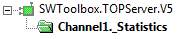
These tags will keep track of key statistics for the channel, a summation of the statistics of all devices configured thereunder, and will give an indication of how the channel is performing to client applications. These statistics can be used to proactively identify potential problems such as polling queues (pending reads and writes), or connection problems (failing reads and writes). In order for these tags to be active, the Communication Diagnostics have to be enabled in the channel properties, found in the TOP Server configuration.
| Tag Name | Access | Tag Access |
_SuccessfulReads |
RO | A count of the number of reads this channel has completed successfully since the start of the application or since the last time the _Reset tag was invoked. |
_SuccessfulWrites |
RO | A count of the number of writes this channel has completed successfully since the start of the application or since the last time the _Reset tag was invoked. |
_FailedReads |
RO | A count of the number of reads this channel has failed to complete since the start of the application or since the last time the _Reset tag was invoked. This count is only incremented after the channel has failed the request based on the configured timeout and retry count for the device. |
_FailedWrites |
RO | A count of the number of writes this channel has failed to complete since the start of the application or since the last time the _Reset tag was invoked. This count is only incremented after the channel has failed the request based on the configured timeout and retry count for the device. |
_RxBytes* |
RO | A count of the number of bytes the channel has received from connected devices since the start of the application or since the last time the _Reset tag was invoked. |
_TxBytes |
RO | A count of the number of bytes the channel has sent to connected devices since the start of the application or since the last time the _Reset tag was invoked. |
_Reset |
RW | Writing a non-zero value to this tag will reset all diagnostic counters for the Channel. |
_MaxPendingReads |
RO | A count of the maximum number of pending read requests for the channel since the start of the application (or the _Reset tag) was invoked. |
_MaxPendingWrites |
RO | A count of the maximum number of pending write requests for the channel since the start of the application (or the _Reset tag) was invoked. |
_PendingReads |
RO | A count of the current pending read requests for the channel. |
_PendingWrites |
RO | A count of the current pending write requests for the channel. |
Device Specific Statistics Tags
The Device-level Statistics tags, similar to the channel level ones, can be accessed via the _Statistics tag group found at the Device level.

These tags take the Channel-level statistics and break them down to a ‘per device’ basis. They can be used to track device specific performance from a client application, and identify problem devices that may be affecting communications on the channel. Similar to the Channel-level tags, the Communication diagnostics have to be enabled in the Channel properties in order for these tags to be active.
| Tag Name | Access | Description |
_SuccessfulReads |
RO | A count of the number of reads this channel has completed successfully since the start of the application or since the last time the _Reset tag was invoked. |
_SuccessfulWrites |
RO | A count of the number of writes this channel has completed successfully since the start of the application or since the last time the _Reset tag was invoked. |
_FailedReads |
RO | A count of the number of reads this channel has failed to complete since the start of the application or since the last time the _Reset tag was invoked. This count is only incremented after the channel has failed the request based on the configured timeout and retry count for the device. |
_FailedWrites |
RO | A count of the number of writes this channel has failed to complete since the start of the application or since the last time the _Reset tag was invoked. This count is only incremented after the channel has failed the request based on the configured timeout and retry count for the device. |
_RxBytes* |
RO | A count of the number of bytes the channel has received from connected devices since the start of the application or since the last time the _Reset tag was invoked. |
_TxBytes |
RO | A count of the number of bytes the channel has sent to connected devices since the start of the application or since the last time the _Reset tag was invoked. |
_Reset |
RW | Writing a non-zero value to this tag will reset all diagnostic counters for the Device. |
Virtual Network (_Serialization)
In system architectures where a “single channel multiple devices” configuration, and a virtual network configuration are possible, the virtual network should always be preferred due to the additional diagnostics that’s that are available. These additional tags can be accessed via the _CommunicationSerialization tab at the Channel level.

These tags will give statistic information on the performance of the virtual network (such as how long a channel had ownership of communications). The _NetworkOwner tag in particular is noteworthy, as it will allow a client application to monitor which channel/device is currently active.
The additional tags exposed in a virtual network configuration are listed below:
| Tag Name | Access | Description |
_NetworkOwner |
RO | Indicates if the channel currently owns control of communications on the network. |
_Registered |
RO |
Indicates whether the channel is currently registered to a virtual network. False (0) = |
_RegisteredTo |
RO |
Indicates the virtual network to which the channel is currently registered. N/A = |
_StatisticAvgNetworkOwnershipTimeSec |
RO | Indicates the average period of time the channel holds ownership of control since the start of the application (or since the last time _StatisticsReset was written to). This tag helps identify busy channels/bottlenecks. |
_StatisticNetworkOwnershipCount |
RO | Indicates the number of times the channel has been granted control of communications since the start of the application (or since the last time _StatisticsReset was written to). |
_StatisticNetworkOwnershipTimeSec |
RO | Indicates how long in seconds the channel has held ownership since the start of the application (or since the last time _StatisticsReset was written to). |
_StatisticsReset |
RW | Writing a non-zero value to this tag will reset all serialization statistic tags for the Channel |
_TransactionsPerCycle |
RW | Indicates the number of RW transactions that occur on the channel when taking turns with other channels in a virtual network. Valid range is 1 (default)-99. |
_VirtualNetwork |
RW |
Allows the virtual network selection for the channel to be changed by a client. Valid strings are: None To disable communication serialization, select None. |
EFM Driver Specific Tags
The following section takes a look at what additional System and Statistic tags are exposed in EFM capable drivers; ABB Total Flow, Enron Modbus, Fisher ROC, and Omni Flow Computers.
All EFM Drivers
The following tags are available for all EFM Drivers, regardless of which specific driver was selected. They allow resetting the EFM cache from client applications at both the channel and device levels. Resetting the EFM cache at the channel level will reset and clear the EFM cache for all devices under the channel during the next EFM poll, whereas the same reset at the device level will only reset the EFM cache for the specific device on the next poll.
Channel System Tags
| Tag Name | Access | Description |
_ResetEFMCache |
WO | Writing any non-zero numeric value to the _ResetEFMCache clears the EFM cache and resets the EFM pointer file for each device in the channel. This operation causes the driver to poll all meters for all available EFM data for each flow computer in the channel. The EFM pointer reset and clear cache does not occur until the first meter in each device is polled with the EFM Exporter. |
Device System Tags
| Tag Name | Access | Description |
_ResetEFMCache |
WO | Writing any non-zero numeric value to the _ResetEFMCache clears the EFM cache and resets the EFM pointer file for each device in the channel. This operation causes the driver to poll all meters for all available EFM data for each flow computer in the channel. The EFM pointer reset and clear cache does not occur until the first meter in each device is polled with the EFM Exporter. |
ABB Totalflow
The following tags are available at channel and device levels when working with the ABB Total Flow driver.
Channel/Device System Tags
The ABB Totalflow drier, when using the DB2 protocol, supports uploads of Trend files – in a fashion similar to EFM data polls. The _ResetTrendCache tag will reset the trend cache on the next upload, and poll all data.
Writing to this tag at the device level will reset the Trend cache for the specific device, where writing to the tag at the Channel level will reset the trend cache for all devices under the channel at the next upload.
| Tag Name | Access | Description |
_ResetTrendCache |
RW | Writing a non-zero numeric value will reset the trend cache on the next upload. |
Channel/Device Statistic Tags
The following Statistics tags are exposed at the Channel and Device levels when using the ABB Totalflow driver. These tags are intended to give insight into the state of communications, and can be used to identify possible problem situations from the client application.
The device level tags will provide statistic information for the specific device, where the Channel level tags will provide a summation of the statistics for all devices under the channel. These tags require the Communication diagnostics to be enabled in the Channel properties.
| Tag Name | Access | Description |
_CommFailures |
RW | The total number of times communication has failed (or has run out of retries). |
_ErrorResponses |
RW | The total number of valid error responses received at this level. |
_ExpectedResponses |
RW | The total number of expected responses. |
_LastResponseTime |
RO | The time at which the last valid response was received. |
_LateData |
RW | The total number of times that a driver tag's data update occurred later than expected (based on the specified scan rate). |
_MsgResent |
RW | The total number of messages sent as a retry. |
_MsgSent |
RW | The total number of messages sent initially. |
_MsgTotal |
RO | The total number of messages sent (_MsgSent + _MsgResent). |
_PercentReturn |
RO | The proportion of expected responses (_ExpectedResponses) to initial sends (_MsgSent) as a percentage. |
_PercentValid |
RO | The proportion of total valid responses received (_TotalResponses) to total requests sent (_MsgTotal) as a percentage. |
_RespBadChecksum |
RW | The total number of responses with checksum errors. |
_RespTimeouts |
RW | The total number of messages that failed to receive any kind of response. |
_RespTruncated |
RW | The total number of messages that received only a partial response. |
_TotalResponses |
RO | The total number of valid responses received (_ErrorResponses + _ExpectedResponses). |
Fisher ROC
The following tags are available at channel and device levels when working with the Fisher ROC drivers.
Channel/Device Statistics Tags
The following Statistics tags are exposed at the Channel and Device levels when using the Fisher ROC drivers. These tags are intended to give insight into the state of communications, and can be used to identify possible problem situations from the client application.
The device level tags will provide statistic information for the specific device, where the Channel level tags will provide a summation of the statistics for all devices under the channel. These tags require the Communication diagnostics to be enabled in the Channel properties.
| Tag Name | Access | Description |
_CommFailures |
RW | The total number of times communication has failed (or has run out of retries). |
_ErrorResponses |
RW | The total number of valid error responses received at this level. |
_ExpectedResponses |
RW | The total number of expected responses. |
_LastResponseTime |
RO | The time at which the last valid response was received. |
_LateData |
RW | The total number of times that a driver tag's data update occurred later than expected (based on the specified scan rate). |
_MsgResent |
RW | The total number of messages sent as a retry. |
_MsgSent |
RW | The total number of messages sent initially. |
_MsgTotal |
RO | The total number of messages sent (_MsgSent + _MsgResent). |
_PercentReturn |
RO | The proportion of expected responses (_ExpectedResponses) to initial sends (_MsgSent) as a percentage. |
_PercentValid |
RO | The proportion of total valid responses received (_TotalResponses) to total requests sent (_MsgTotal) as a percentage. |
_RespBadChecksum |
RW | The total number of responses with checksum errors. |
_RespTimeouts |
RW | The total number of messages that failed to receive any kind of response. |
_RespTruncated |
RW | The total number of messages that received only a partial response. |
_TotalResponses |
RO | The total number of valid responses received (_ErrorResponses + _ExpectedResponses). |
Plug-In Specific Tags
The following sections look at what additional system and statistic tags are available when configuring the EFM Exporter and Scheduler plug-ins. These lists include tags to give insight on the current status of the plug-in, as well as allowing client applications to alter the behavior at runtime.
EFM Exporter
The following tags are available when using the TOP Server EFM Exporter Plug-In for polls of EFM data from EFM Capable drivers. These tags allow client applications to alter the behavior of the exporter, as well as see the current status of the plug-in.
Exporter System Tags
The System tags available at the Exporter level allow Enabling/Disabling an entire Exporter – this includes all “children” i.e. Poll Groups and Meters.
| Tag Name | Access | Description |
_Enable |
RW | Enables (1)/Disables (0) an exporter. Exporters cannot be enabled while a parent element is disabled. Disabling a meter terminates polling of that meter within a poll group. |
Poll Group System Tags
The following tags are accessible at the Poll Group level and give information on when the last/next polls are scheduled, and can be used to determine the poll duration. Poll groups can be enabled/disabled from client applications, and manual polls – outside the scheduled polling cycle – can be triggered at will.
| Tag Name | Access | Description |
_Enable |
RW | Enables (1)/Disables (0) the poll group and all exporter and meter children elements. Disabling a poll group terminates polling its meters. |
_ErrorOnLastPoll |
RO |
Indicates whether there was an error on the previous poll. True (1) = there was a problem on the last poll of EFM Data. To obtain the start and end time of the failed poll, read the |
_LastPollEnd |
RO |
Reports the time that the last poll completed. All times are reported in UTC. 01/01/1601 00:00:00.000 = no poll has completed. |
_LastPollStart |
RO |
Reports the time that the last poll started. All times are reported in UTC. 01/01/1601 00:00:00.000 = no poll has started. |
_NextPollStart |
RO |
Indicates the time that the next poll starts. All times are reported in UTC. 01/01/1601 00:00:00.000 = no next poll is scheduled. |
_Polling |
RO |
True (1) = a poll is currently in progress. A poll is considered finished once its data has been exported. |
_Poll |
RW | Writing a non-zero numeric value to this tag issues an On-Demand Poll outside of the normal polling interval. Multiple meters can be polled simultaneously by writing to the _Poll tags. |
Meter System Tags
The following tags are available at the Meter level.
| Tag Name | Access | Description |
_Enable |
RW | Enables (1)/Disables (0) a meter. Meters cannot be enabled while a parent element is disabled. Disabling a meter terminates polling of that meter within a poll group. |
_ErrorOnLastPoll |
RO |
Indicates whether there was an error on the previous poll. True (1) = there was a problem on the last poll of EFM Data. |
_Polling |
RO |
True (1) = a poll is currently in progress. A poll is considered finished once its data has been exported. |
_Poll |
RW | Writing a non-zero numeric value to this tag issues an On-Demand Poll outside of the normal polling interval. Multiple meters can be polled simultaneously by writing to the _Poll tags. |
Scheduler
The following tags are available when using the TOP Server Scheduler Plug-In for custom polling schedules. These tags not only allow client application to read valuable statistics information on the status of the scheduler, but also overwrite settings as necessary.
Schedule Level
At the Schedule level the followings tags are available. Of note is the _PollDuration tag which can be used to identify schedules that are taking longer to complete than expected, the _IsPolling tag to identify when a schedule is executing, and the _InException tag to indicate a problem condition to client applications.
| Tag Name | Access | Description |
_Enable |
RW | Reports the enabled (1)/disabled (0) state of a schedule. Writing a 0 to this tag disables the schedule. |
_InException |
RO | True (1) = a schedule is in exception time. |
_IsPolling |
RO | True (1) = a scheduled poll is being processed. |
_LastPollDurationSec |
RO | Indicates the amount of time (in seconds) the last poll took to complete. This tag is updated whether the poll succeeds or fails. |
_LastPollStart |
RO |
Reports the time that the last poll started. All times are reported in local time. 01/01/1601 00:00:00.000 = no poll has started. |
_LastPollEnd |
RO |
Reports the time that the last poll completed. All times are reported in local time. 01/01/1601 00:00:00.000 = no poll has completed. |
_NextScheduledStart |
RO | Reports the time that the next upcoming poll is due to begin. All times are reported in local time. |
_LastPollSuccess |
RO | Allows external clients to determine whether the last poll was considered successful. A poll is considered a failure if the device is in error and a polled tag reports bad quality. |
_Priority |
RW | Indicates the number indicating priority of the schedule. Writing a priority to this inserts the schedule at the specified priority and bumps lower priority schedules down. |
_PendingReads |
RO | Indicates the number of pending reads that must complete for a scheduled poll to finish. |
Device Level
Where the Schedule level tags provide information on the performance/status of the entire schedule, the device level tags allow more granular access to performance indicators and settings. Of note is the _Override tag, which will override the parent schedule’s polling settings for the period specified in the schedule properties and poll the device at the highest priority. An Override can be used to temporary increase polling rates to devices if the situation calls for it, but should not be done frequently.
| Tag Name | Access | Description |
_Enable |
RW | Reports the enabled (1)/disabled (0) state of a schedule. Writing a 0 to this tag disables the schedule. |
_Override |
RW |
Reports indicates whether a device is in override mode. True (1) = device in override. While in override, the parent polling schedule is ignored and the device is polled according to the schedule’s override duration in the schedule properties. |
_IsPolling |
RO | True (1) = a scheduled poll is being processed. |
_LastPollDurationSec |
RO | Indicates the amount of time (in seconds) that the last poll took to complete. This tag is updated whether the poll succeeds or fails. |
_LastPollStart |
RO |
Reports the time that the last poll began. All times are reported in local time. 01/01/1601 00:00:00.000 = no poll has started. |
_LastPollEnd |
RO |
Reports the time that the last poll finished. All times are reported in local time. 01/01/1601 00:00:00.000 = no poll has completed. |
_LastPollSuccess |
RO | Allows external clients to determine whether the last poll was considered successful. A poll is considered a failure if the device is in error and a polled tag reports bad quality. |
_Poll |
RW | Allows external clients to issue on-demand polls by writing a value to the tag. Only tags defined for the device within the schedule are polled. |
_PendingReads |
RO | Indicates the number of pending reads that must complete for this device to finish. |
_SecondsInOverride |
RO |
Indicates the time, in seconds, the device has been in override mode. 0 = the device is not in override mode. |
Conclusion
This document is intended to give an overview on the Statistic and System tags that are available in TOP Server version 5.19.467, particularly for EFM capable drivers and related server plug-ins. These lists are fairly comprehensive, but the TOP Server help file should be consulted for further information on any tags that are not specifically described in this document.
The Software Toolbox Support team would also be more than happy to provide any additional information on the use of these tags, and can be reached via: