![SWTB_logo_rgb_color_mode-wPadding-2000x961.png]](https://help.softwaretoolbox.com/hs-fs/hubfs/SWTB_General/Images/Press_Kit/SWTB_logo_rgb_color_mode-wPadding-2000x961.png?height=50&name=SWTB_logo_rgb_color_mode-wPadding-2000x961.png)
Unless you are seeing timeouts in the device communications in the TOP Server Event Log, which could be caused by many things not just configuration, these null values are most likely a symptom of Wonderware Historian Topic timeouts. By default a Topic will timeout after 60 seconds if no items on that topic updated for the duration of the timeout period. You should consult your Wonderware Historian system administrator for assistance or if you are not sure how to change the setting below in your Wonderware Historian, contact your local Wonderware distributor for support on Wonderware Historian.
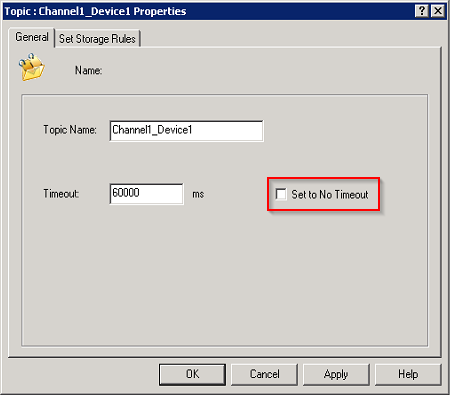
To resolve this issue, either configure a tag in the Historian to monitor something that is updating more frequently (a heartbeat of sorts), or set the topic not to timeout, by checking the "Set to No Timeout" checkbox on the General Properties Tab of the Topic Configuration. The right solution for you will be a function of your specific application.