![SWTB_logo_rgb_color_mode-wPadding-2000x961.png]](https://help.softwaretoolbox.com/hs-fs/hubfs/SWTB_General/Images/Press_Kit/SWTB_logo_rgb_color_mode-wPadding-2000x961.png?height=50&name=SWTB_logo_rgb_color_mode-wPadding-2000x961.png)
(This includes Plug-ins that you don't want visible as well as Plug-ins that are hidden that you'd like to see)
In the TOP Server V6 Configuration window you can click on the View option and a list of all available Plug-ins will be available. Any option that has a check mark next to it will be available in the Project tree view. To hide any Plug-ins, just uncheck this option.
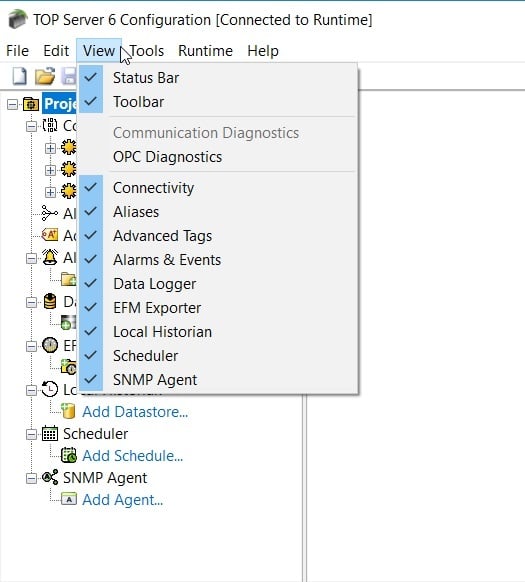
Hidden Plug-ins are still available for use even if they are not showing in the tree view.