![SWTB_logo_rgb_color_mode-wPadding-2000x961.png]](https://help.softwaretoolbox.com/hs-fs/hubfs/SWTB_General/Images/Press_Kit/SWTB_logo_rgb_color_mode-wPadding-2000x961.png?height=50&name=SWTB_logo_rgb_color_mode-wPadding-2000x961.png)
To find your currently installed and activated TOP Server license or licenses for V4.x TOP Server, click here
- First, launch the TOP Server License Utility in one of the following ways:
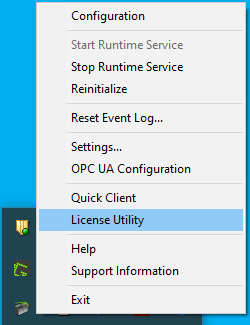
- Right-click on the TOP Server Administration icon in the Windows system tray and select License Utility.
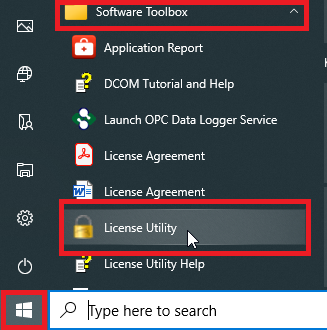
- Under Start ⇒ All Apps (or Programs) ⇒ Software Toolbox ⇒ License Utility (NOTE: depending on your OS, there may be an additional "TOP Server" sub-folder under Software Toolbox).
- Right-click on the TOP Server Administration icon in the Windows system tray and select License Utility.
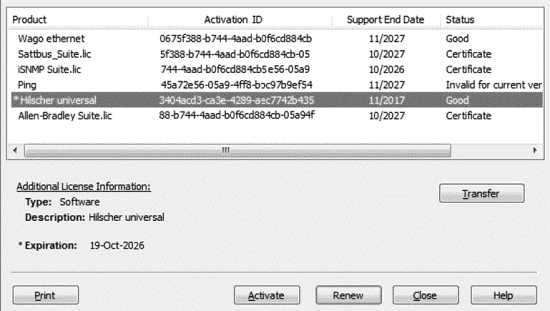
- Your Activation/Flex ID or IDs should be listed (in older versions, it may be necessary to View License Details to display this information).