![SWTB_logo_rgb_color_mode-wPadding-2000x961.png]](https://help.softwaretoolbox.com/hs-fs/hubfs/SWTB_General/Images/Press_Kit/SWTB_logo_rgb_color_mode-wPadding-2000x961.png?height=50&name=SWTB_logo_rgb_color_mode-wPadding-2000x961.png)
Moving OPC Router projects between machines is easily done, whether you are copying an entire project from one machine to another, or just needing to move some templates or other parts of a project to another system.
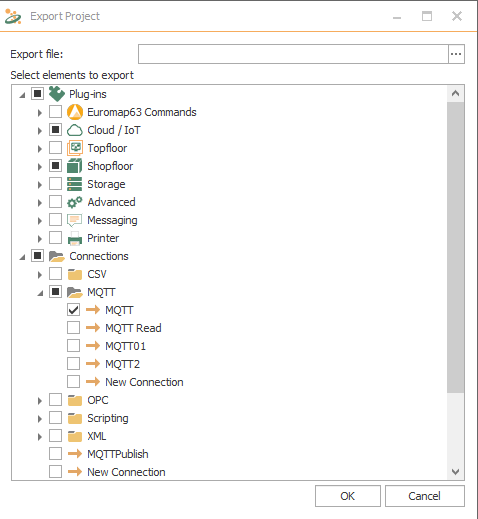
In the OPC Router configuration, click File -> Export OPC Router 4 Project -> Local Service, then choose what elements of your project to export, and the file location to export it to. Choosing any item from "Connections" will automatically select any plug-ins, variables or other prerequisites needed for that connection. Then on the target machine, repeat the process but choose "Import OPC Router 4 Configuration" and select the portions of the project you wish to import.
The choices of what you can move can be very specific, as shown below.