![SWTB_logo_rgb_color_mode-wPadding-2000x961.png]](https://help.softwaretoolbox.com/hs-fs/hubfs/SWTB_General/Images/Press_Kit/SWTB_logo_rgb_color_mode-wPadding-2000x961.png?height=50&name=SWTB_logo_rgb_color_mode-wPadding-2000x961.png)
If the installed version of TOP Server requires an existing patch to be applied as provided by our Support Team, please follow the recommended instructions.
Patch Installation Instructions
Extract and run the executable included in the .zip file. The patch installer will temporarily shut down the server runtime, so it is not a requirement to shut down all components manually. It is advisable to shut down any clients prior to installing, as in some cases, a client attempting to reconnect repeatedly can impede patch installation. Although not a requirement, we recommend installing the patch in a test environment first before a production environment to minimize risk.
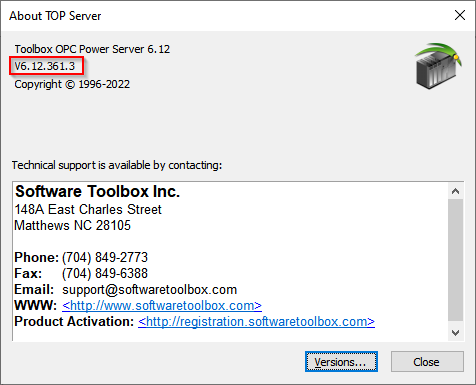
You can confirm the successful installation of a patch by verifying the version under Help > Support Information. The last path in the versioning is reserved for patch releases. Anything besides a 0 indicates a patch. You can click on "Versions..." to view specific versions of the drivers that you have installed in the event that the patch only applies to a specific driver.