![SWTB_logo_rgb_color_mode-wPadding-2000x961.png]](https://help.softwaretoolbox.com/hs-fs/hubfs/SWTB_General/Images/Press_Kit/SWTB_logo_rgb_color_mode-wPadding-2000x961.png?height=50&name=SWTB_logo_rgb_color_mode-wPadding-2000x961.png)
When you have reached this maximum number of connections for a specific server interface, no clients using that protocol will be able to make a new connection to the TOP Server.
You will see an error in the TOP Server event log such as the following:

While the screenshot shows an error for the DA Server, you may also see this for OPC UA.
If you have reached the maximum number of connections for the DA Server, you may also see the following error in Quick Client:

This error is an "Unspecified Error." Typically, this is related to COM/DCOM issues, but in this case, it is due to the maximum connection limit being reached.
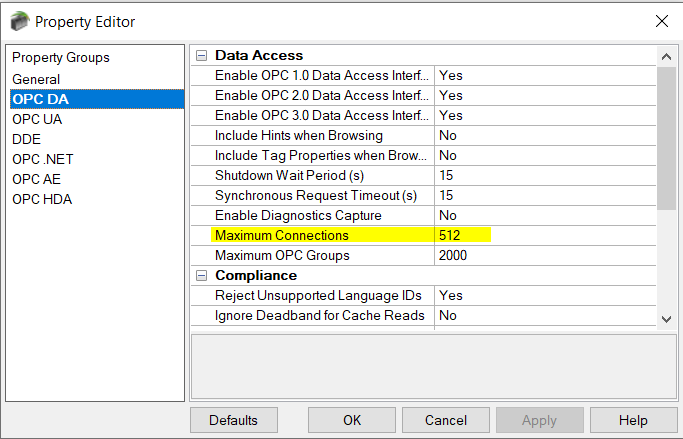
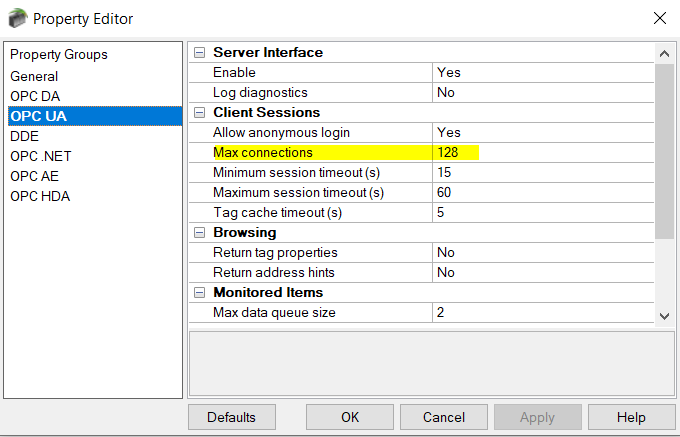
By default, the maximum is set at 512 for OPC DA, and 128 for OPC UA.
As of v6.11.718.0 (released December 21, 2021), this setting can be changed under Project – Properties: