![SWTB_logo_rgb_color_mode-wPadding-2000x961.png]](https://help.softwaretoolbox.com/hs-fs/hubfs/SWTB_General/Images/Press_Kit/SWTB_logo_rgb_color_mode-wPadding-2000x961.png?height=50&name=SWTB_logo_rgb_color_mode-wPadding-2000x961.png)
DDE best practices suggest that the DDE Server should already be running prior to the DDE Client's attempted connection.
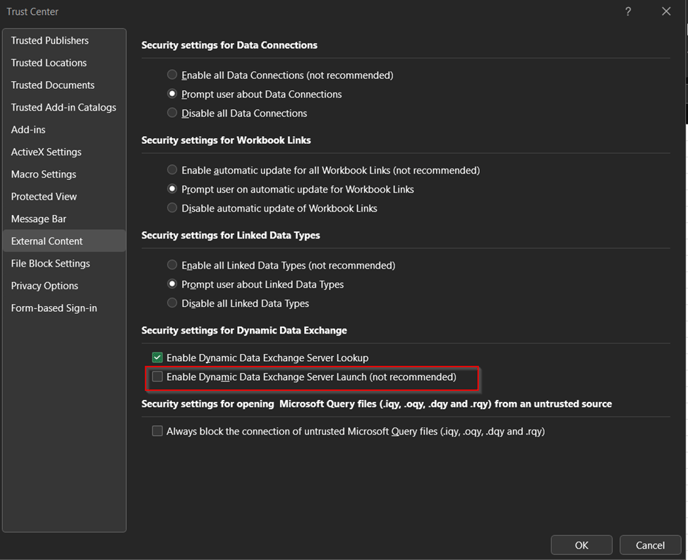
Verify the Excel settings, under Options > Trust Center, and ensure "Enable Dynamic Data Exchange Server Launch" is disabled. Microsoft updates could have effects on the permissions for this access.
In Excel open Options > Trust Center > Trust Center Settings > External Content