![SWTB_logo_rgb_color_mode-wPadding-2000x961.png]](https://help.softwaretoolbox.com/hs-fs/hubfs/SWTB_General/Images/Press_Kit/SWTB_logo_rgb_color_mode-wPadding-2000x961.png?height=50&name=SWTB_logo_rgb_color_mode-wPadding-2000x961.png)
Yes, the TOP Server is able to communicate with virtual controllers created with the Siemens PLCSIM Advanced software as if they were physical Siemens S7-1500 PLCs. This can be accomplished with any of the following drivers:
Please note that drivers in this list that support Symbolic addressing for the controllers also support this feature for virtual PLC instances created in PLCSIM Advanced
There are no special considerations to make in the TOP Server Configuration; however, there are changes that must be made to the machine's Network Adapter properties, the PLCSIM Advanced Control Panel, and the TIA Portal Project.
- System Network Adapter Configuration
- The Siemens PLCSIM Virtual Switch must be enabled in the Windows Network and Sharing Center of the machine hosting the PLCSIM Advanced Software.
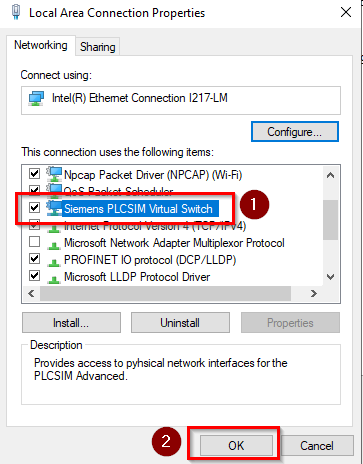
- The Siemens PLCSIM Virtual Switch must be enabled in the Windows Network and Sharing Center of the machine hosting the PLCSIM Advanced Software.
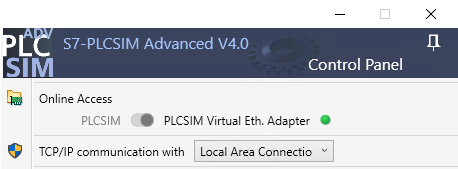
- In the PLCSim Advanced Control Panel, the 'PLCSIM Virtual Eth. Adapter' mode needs to be enabled, and 'TCP/IP communication with' should be set to 'Local Area Connections'.
- The Virtual PLC Instance must have an unused IP address from your network, with the correct Subnet Mask and Default Gateway.
- This instance will act as a physical device, which is why it requires its own unique and unused IP.
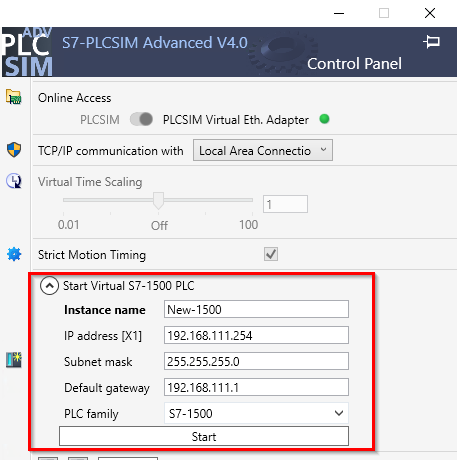
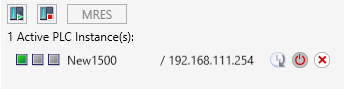
- Once Configured, click on Start and this will create and power-on the Virtual PLC instance.
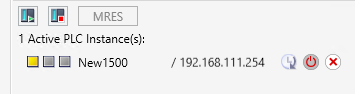
- This instance will act as a physical device, which is why it requires its own unique and unused IP.
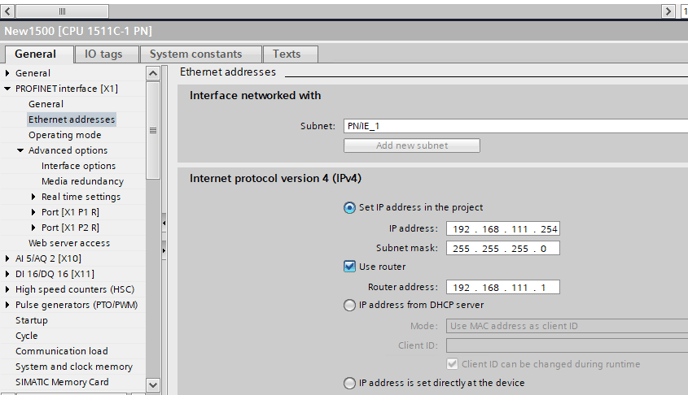
- Navigate to the IPv4 configuration in TIA Portal as seen in the below screenshot and ensure that these settings match what was configured for the Virtual PLC instance in the previous step.
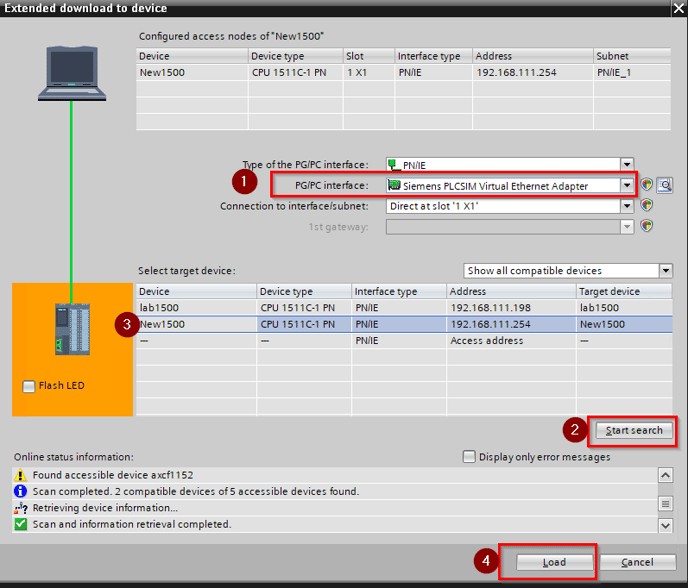
- Before downloading the project to the device, specify the PG/PC interface as "Siemens PLCSIM Virtual Ethernet Adapter", click Start Search, select the virtual controller from the returned list of target devices, and click Load.
- When the download is complete, select "Start Module" and click finish. This will set the PLCSIM Advanced PLC instance to Run mode:
- When the download is complete, select "Start Module" and click finish. This will set the PLCSIM Advanced PLC instance to Run mode:
- Now you can configure a connection to this virtual controller from TOP Server as you would with a physical Siemens PLC. Please see the links below for tutorials on the Siemens connectivity options within TOP Server: