![SWTB_logo_rgb_color_mode-wPadding-2000x961.png]](https://help.softwaretoolbox.com/hs-fs/hubfs/SWTB_General/Images/Press_Kit/SWTB_logo_rgb_color_mode-wPadding-2000x961.png?height=50&name=SWTB_logo_rgb_color_mode-wPadding-2000x961.png)
What determines where data will be logged? You will specify where to log data within the Data Storage section.
Choosing Where to Log Data
When adding a component for Data Storage, you will be presented with the following options.
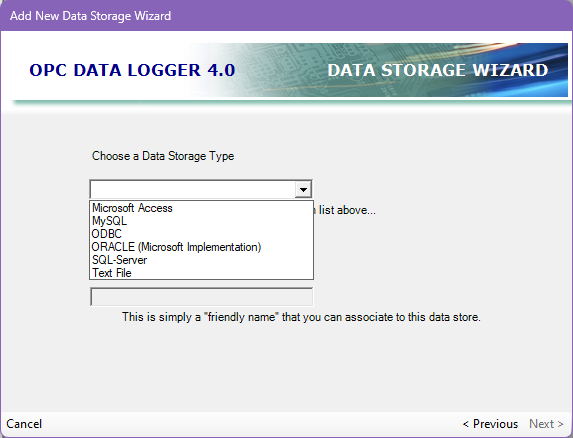
OPC Data Logger supports logging to Text files, Microsoft Access databases, MySQL databases, SQL Server databases, Oracle databases and ODBC databases. For more information about each Data Storage option, please refer to the Data Storage section in the help file.
Enabling Data Storage Components
For any Data Storage component to be used it must be added to a Logging Task and Enabled. Within the Logging Task Properties page and the Log To tab you can add or remove Data Storage components. The Add button will let you choose from all Data Storage components you have configured. The Remove button will allow you to Remove Select or Remove All components. The Enabled checkbox next to each component signifies if the component will log data or not.
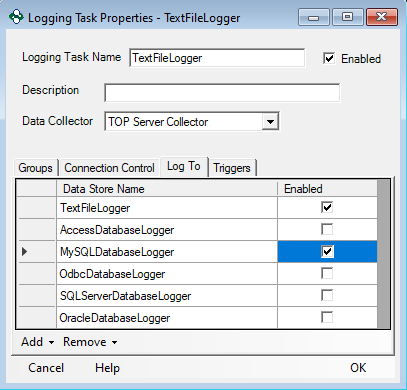
In the example above, if you were to start logging, your project would log to a Text File and a MySQL Database since all other components are disabled.